What Is Computer Vision?
Computer vision is the field of artificial intelligence that teaches machines to see, understand, and act on visual information. Just as your eyes send signals to your brain so you can recognize a friend’s face or read a road sign, computer vision lets a computer look at photos and videos, find patterns in the pixels, and decide what it is looking at. It powers face unlock on your phone, self-driving cars, medical scans, and the cameras that count products on a factory line.
How Computer Vision Works
A computer vision system follows five steps. First, a camera or sensor captures an image or video. Second, the image is cleaned up — resized, brightened, or de-noised — so the model can read it clearly. Third, the system extracts features: edges, shapes, colors, and textures that hint at what is in the picture. Fourth, a machine learning or deep learning model classifies what it found, for example deciding the image shows a cat, a car, or a person’s face. Finally, the system acts on that decision, whether that means unlocking a phone, braking a car, or flagging a tumor on a scan.
Read also: AI Kya Hai 2026
The Four Main Things Computer Vision Can Do
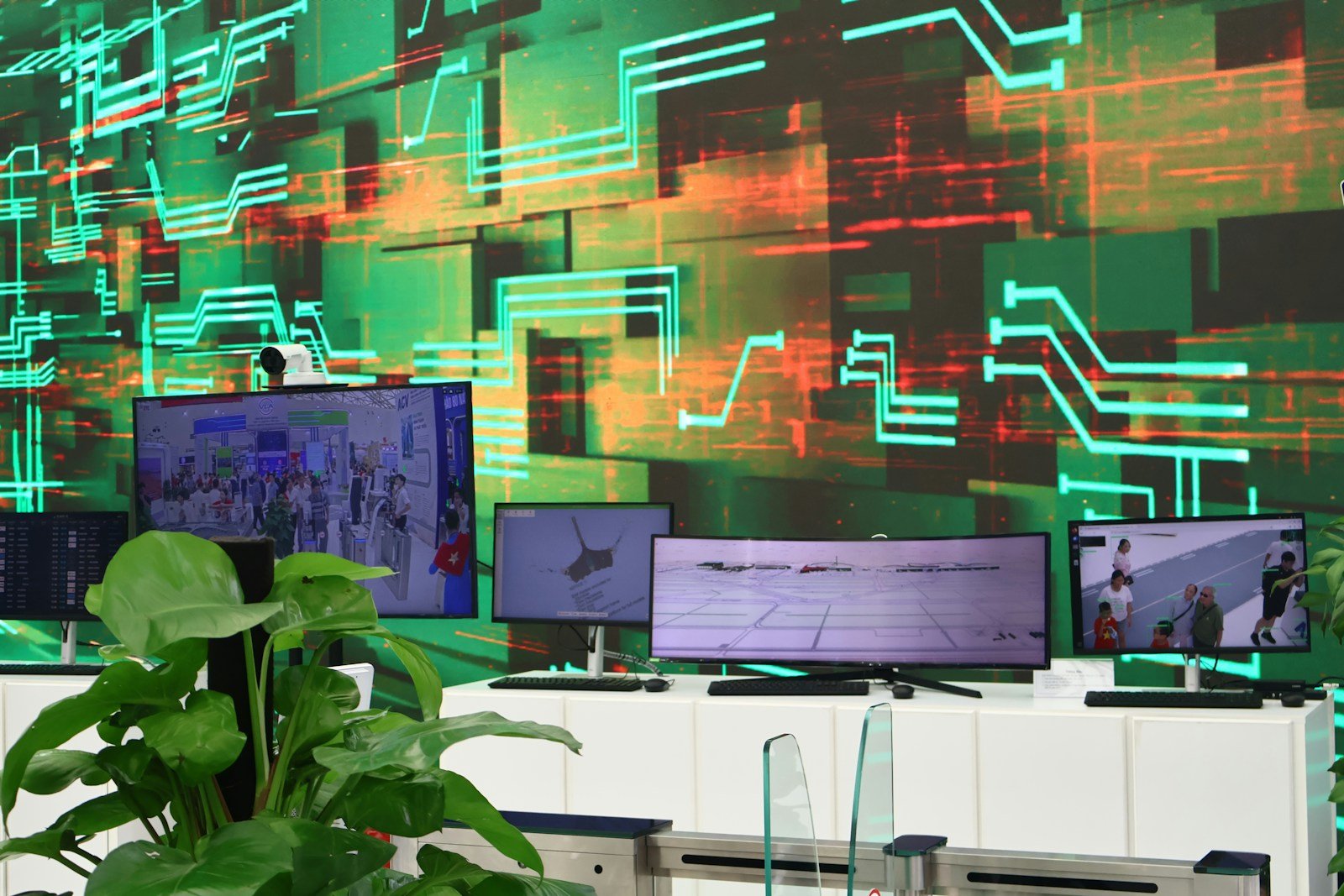
Most computer vision systems do one or more of four jobs. Image classification answers “what is in this picture?” Object detection goes further and draws a box around each thing it finds, saying where it is as well as what it is. Image segmentation divides a picture into regions pixel by pixel, so the system knows exactly which pixels belong to a road, a person, or a tumor. Facial recognition finds a face, measures features such as the distance between the eyes, and matches it to a known person. Optical character recognition (OCR) reads text out of images, turning a photographed document into editable text.
A Short History of Computer Vision
Computer vision began in the 1960s, when MIT’s Summer Vision Project (1966) tried to teach a computer to describe what it saw, and Lawrence Roberts showed how a machine could recover 3D shapes from flat images. Through the 1970s and 1990s, researchers built hand-crafted methods such as edge detection and SIFT features (2004), and in 2001 the Viola-Jones detector made real-time face detection possible on ordinary computers. The big turning point came in 2012, when AlexNet won the ImageNet challenge and cut the top-5 error rate from 26 percent to 15 percent in a single year, proving deep learning beat hand-built rules. ResNet and YOLO followed in 2015, bringing very deep networks and real-time detection. In 2020, Vision Transformers showed that the transformer architecture behind ChatGPT could also read images, and models such as CLIP (2021) learned to connect images and words.
Read also: Machine Learning Kya Hai 2026
Where Computer Vision Is Used in 2026
Healthcare is one of the biggest success stories: computer vision models read X-rays, CT scans, and MRIs, and Google Health’s AI has matched expert radiologists at spotting breast cancer in mammograms. Self-driving cars use cameras to recognize lanes, traffic lights, pedestrians, and other vehicles in real time. In security, facial recognition with liveness checks verifies identity for banking apps and building access. Retailers use it for checkout-free stores and shelf monitoring, farmers use drones to spot crop disease, and factories use it to catch defects no human eye would notice. Industry estimates put the global computer vision market at roughly $20 billion in 2025, growing toward about $24 billion in 2026.
Computer Vision Tasks at a Glance
| Task | What it answers | Example use |
|---|---|---|
| Image classification | What is in this picture? | Sorting photos, detecting skin conditions |
| Object detection | What is it, and where is it? | Self-driving cars spotting pedestrians |
| Image segmentation | Which pixels belong to what? | Medical scans outlining a tumor |
| Facial recognition | Whose face is this? | Phone unlock, airport identity checks |
| OCR | What text is in the image? | Digitizing documents and receipts |
| Pose estimation | How is this body positioned? | Sports analysis, fitness apps, animation |
Challenges and Limits
Computer vision is powerful, but it is not magic. Models need huge amounts of labeled training data, and they can fail on images very different from what they were trained on — a system trained on sunny roads may struggle in snow. Lighting, angle, and occlusion all affect accuracy. Privacy is the other big question: cameras that recognize faces raise real concerns about surveillance, so many countries now regulate where facial recognition can be used. Bias is a real risk too — a model trained mostly on one group of faces may perform worse on others.
Read also: What Is Natural Language Processing (NLP)? A Beginner’s Guide 2026
How to Start Learning Computer Vision
If you want to learn computer vision, start with Python and the OpenCV library, which is free and open source. Learn the basics of machine learning first — how models are trained on labeled data — then try a small project: build an image classifier with a pre-trained model, or a face detector using OpenCV. Free courses from Google, Microsoft, and top universities cover the fundamentals, and datasets such as ImageNet and COCO give you real images to practice on. As of November 2026, OpenCV and most major frameworks remain free to use — check the official pages before you start, because tools and pricing change.
Frequently Asked Questions
Is computer vision the same as AI?
No. Computer vision is a branch of AI focused on visual data, just as natural language processing is the branch focused on text. Both use machine learning, but they solve different problems.
Do I need a powerful computer to try computer vision?
Not to start. Cloud services and free tools such as Google Colab give you a GPU in the browser, so a basic laptop is enough for beginner projects.
Will computer vision replace human eyes in medicine?
No — it assists doctors rather than replacing them. The best results come from AI flagging what to look at and a human expert making the final call.